Dosehue
Dose tracking with a visual site log
iOS app
Select a screen to view it at full size.
The problem
A recurring injection plan means remembering more than a time: the last dose date, amount and injection site also matter. Keeping these in separate notes means piecing the history together each time a new record is added.
What we did
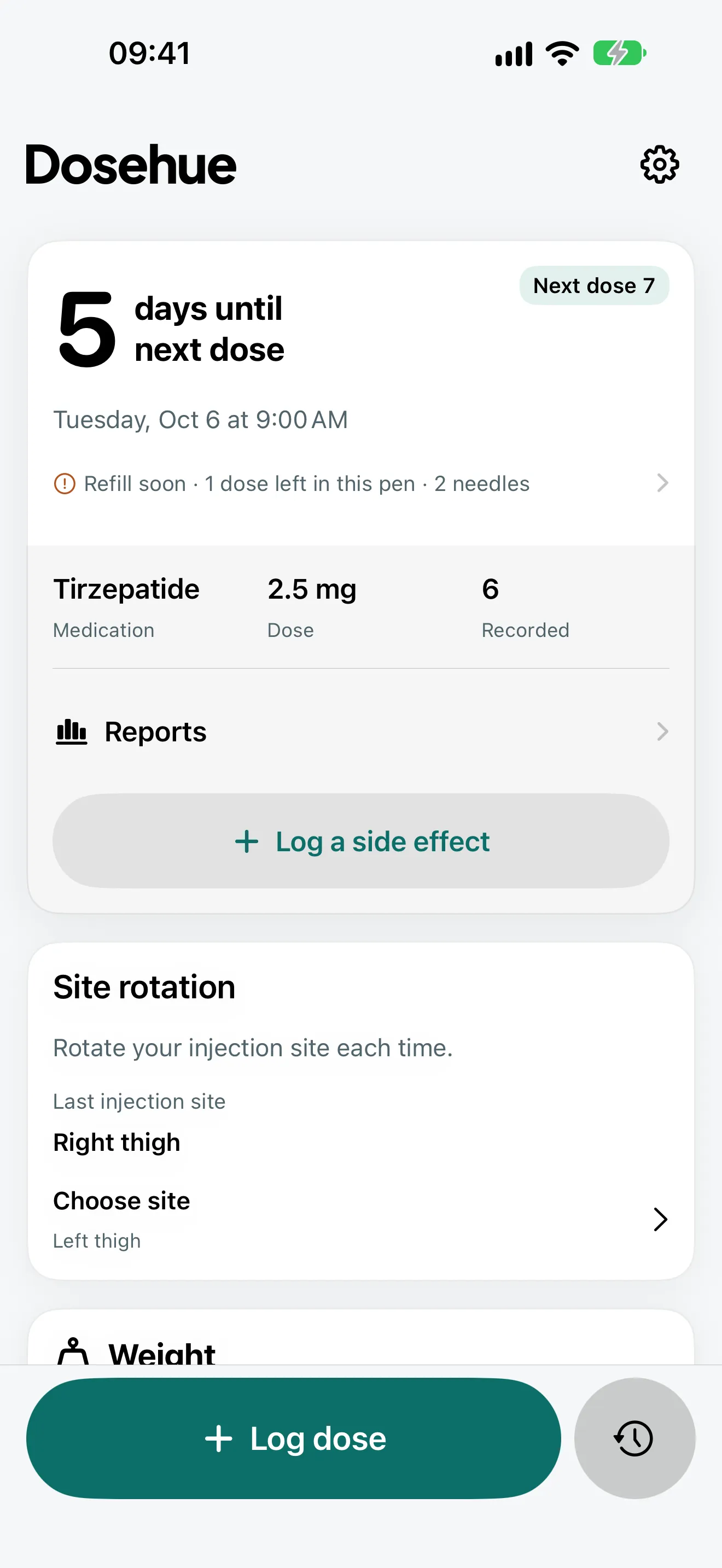
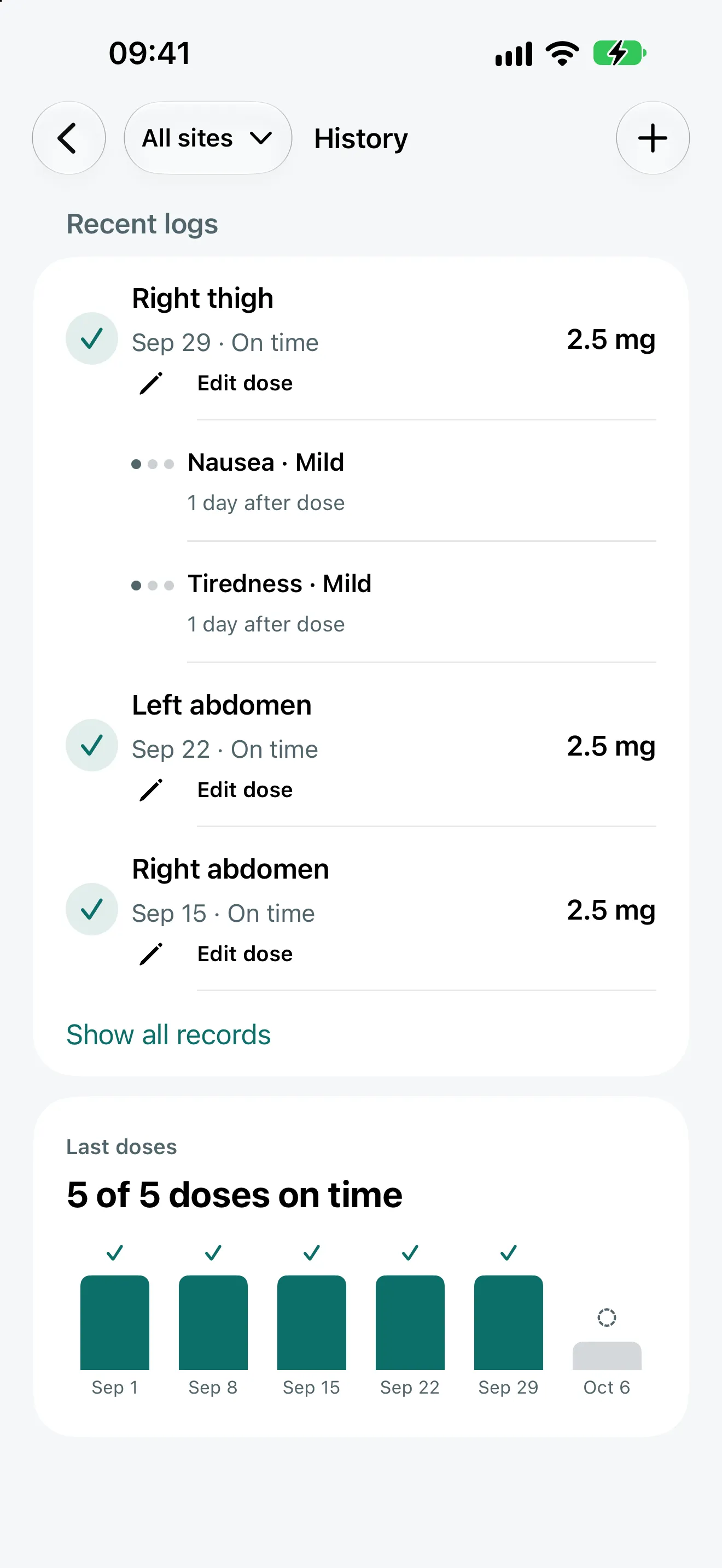
We brought the next dose, the logging action and the site rotation onto one screen. The person enters how often they take their dose, records a dose they have taken and selects its site on a body map. A local reminder marks the next scheduled time, while History keeps the records together.
Outcome
We designed and built an English and Turkish iPhone interface, a six-site body map, dose history, encrypted backup and report screens. Product support and privacy pages are part of the same delivery.

Make the next record easier
We made Today the home screen; History, Reports and Settings open from it. Daily use centres on one logging action in Today. Plan editing and other settings sit separately, so they do not interrupt each visit.
The app helps people record a plan supplied by their healthcare professional. It does not choose doses or recommend treatment. We carried that boundary into the flow and the copy: receiving a reminder and recording a dose that was actually taken are separate actions.
A body map for site selection
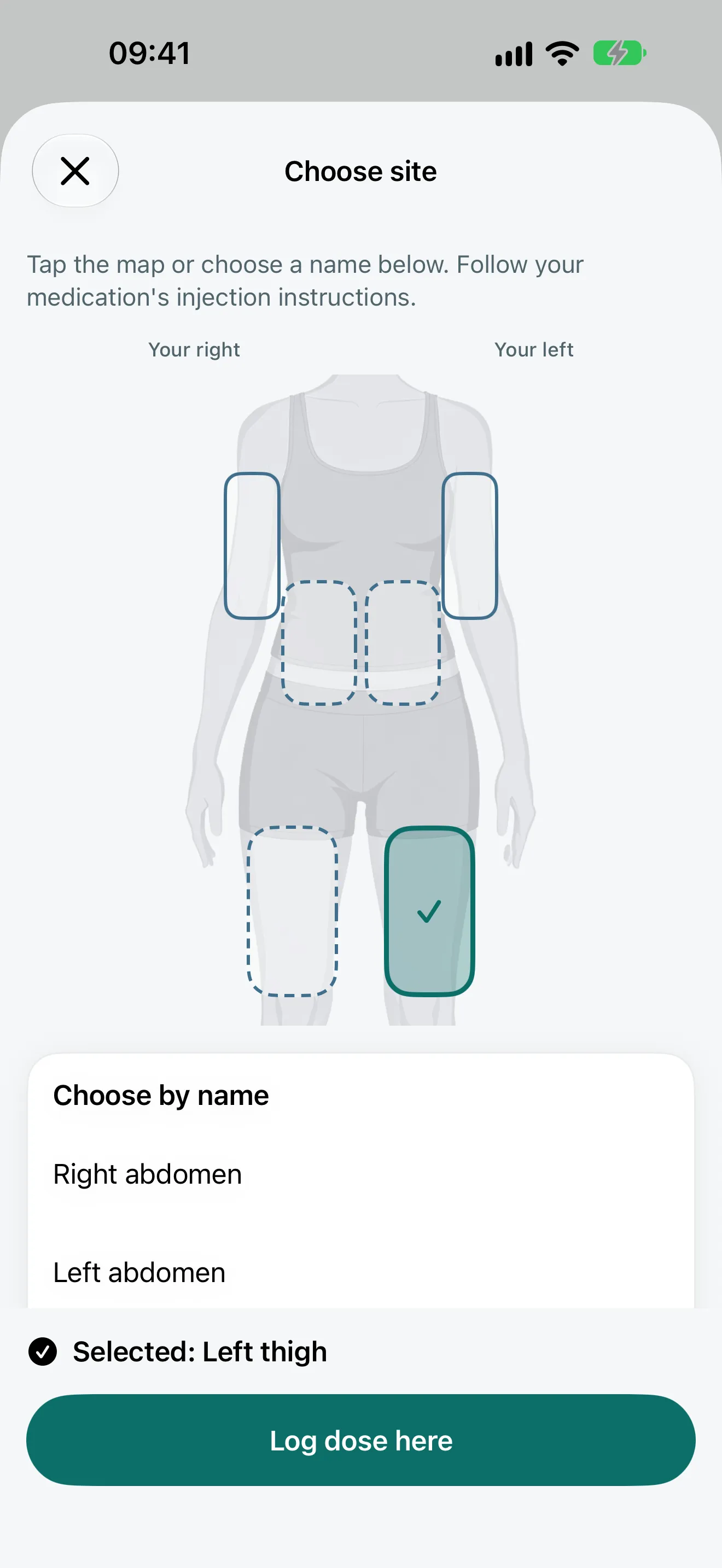
We drew six selection areas for the left and right abdomen, thighs and upper arms on a single front view, labelled from the person’s perspective. The map opens from the Choose site row on Today and from the Change action in the dose form; Today itself shows the last site and the suggested next one.
Colour is only one cue: a check marks the selection, a “Next” label marks the next site in the rotation, and a dashed border marks recently used areas. Touch targets and VoiceOver labels belong to the same component.
From design to a working product
- We built shared cards, buttons and the body map in SwiftUI, accounting for text size, light and dark appearance, and Reduce Motion in the components.
- Plans and dose history stay on the device. We added password-protected backup and restore without requiring an account.
- We designed the Apple Health connection as optional: weight can be read from Health, and saving weight or side effects to Health is a separate choice each. Plus reports sit in a separate destination that leaves core dose tracking available.
- We connected English and Turkish copy to the app flows, with dates and amounts following the device’s region settings.
The images are actual app screens captured in English with sample records.