PocketPortion
Give every penny a purpose.
iOS app
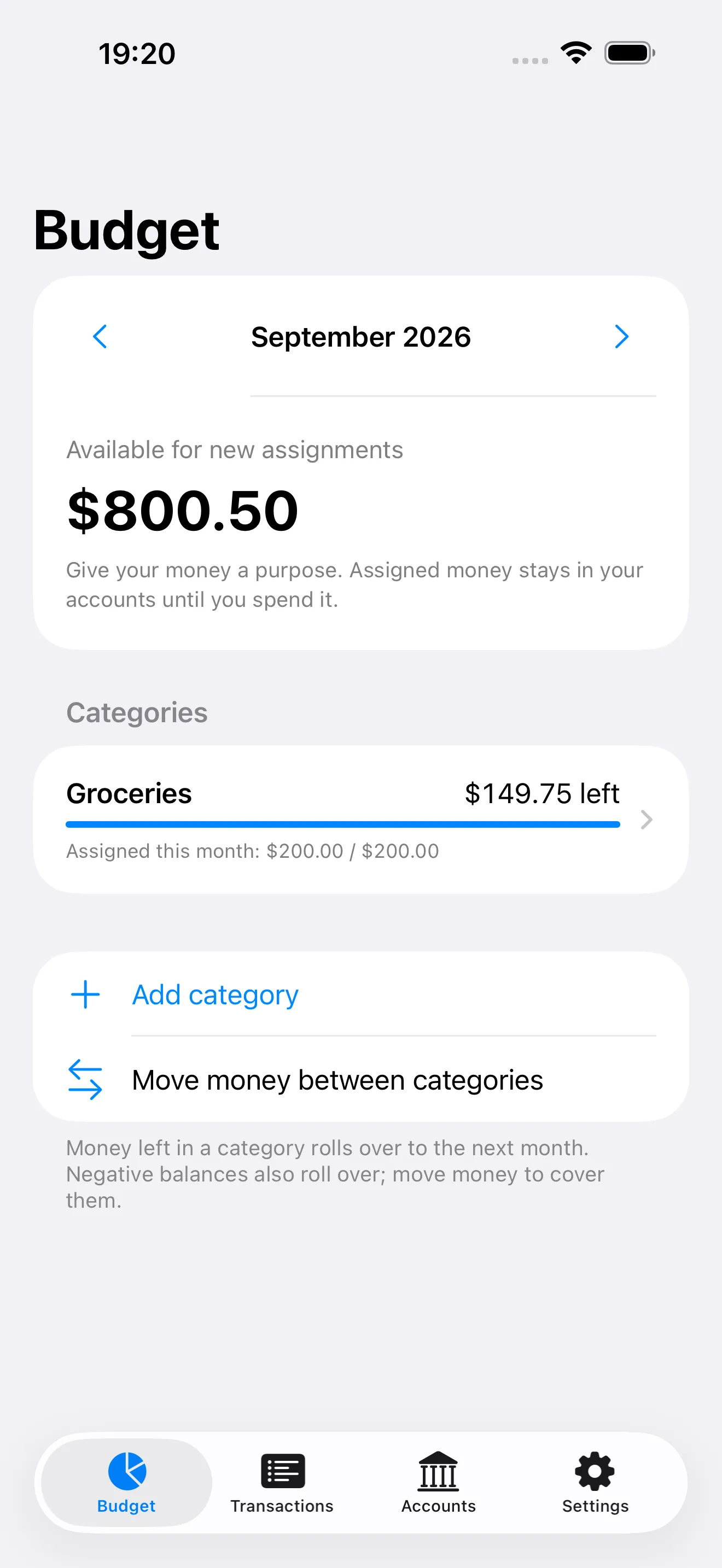
Select a screen to view it at full size.
The problem
An account balance does not tell you how much you can spend. When money for rent, groceries and savings sits in the same balance, it becomes harder to decide what the next purchase should be.
What we did
We brought envelope budgeting to the iPhone. Users assign the money they have to categories; the home screen separates money available for new assignments from the amount left in each category. Income, spending, transfers and refunds update the plan. No bank connection or user account is required.
Outcome
We built a working iPhone app in Turkish and English, with an app icon and store copy. Account management, monthly budgeting, transaction entry, file import and backup come together in one product, with support and privacy pages connected to tasarim.io.
Start with the spending decision
We designed four main sections: Budget, Transactions, Accounts and Settings. The opening screen focuses on money that has not yet been assigned to a category. Each category shows its remaining amount alongside the monthly target, and users can move money between categories as their plans change.
First use follows the same sequence: add an account and its opening balance, create a category, then assign money. Leftover amounts and category shortfalls roll into the next month. Money reserved for future months is considered when making new assignments.
Users control their records
The budget stays on the device. We built separate flows for manual entry and file import, without a bank connection. CSV and TSV files are previewed before import, with invalid rows and previously imported entries identified. Users choose which rows to add.
Exporting a transaction list and backing up a complete budget are treated as different tasks. A full backup can restore accounts, categories, targets and transactions together. If saving fails, the budget shown on screen stays unchanged.
From design to a working app
We built the interface with native iPhone components. System text sizes, light and dark appearance, and Turkish and English copy are part of the product. Budget calculations and storage rules are separate from the interface; application tests cover assigning money, recording expenses, reopening the app and deleting entries.
The product name and icon reflect the idea of dividing money into portions. Store copy, screenshots from the working app, and support and privacy pages were prepared as part of the same work. The screenshot shown here contains sample budget data.